Real Console Output
See how your logs, metrics & status look in real time
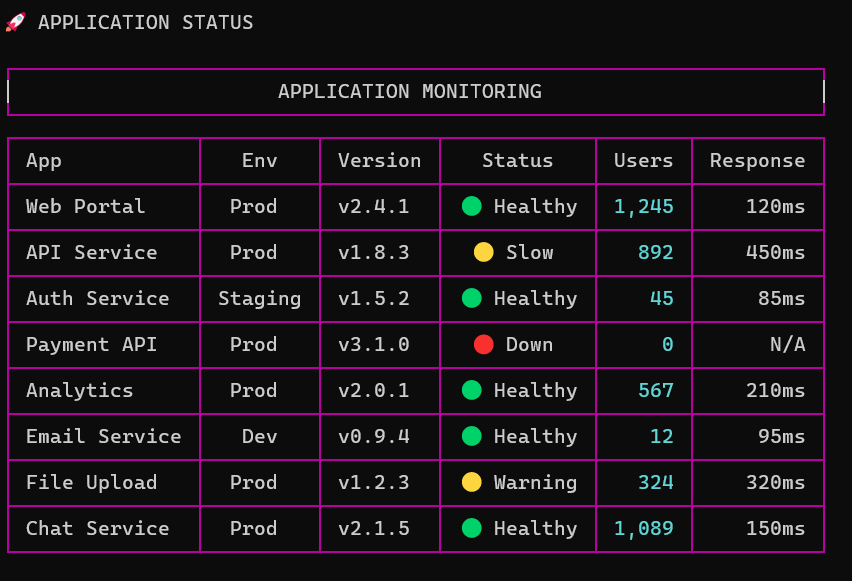
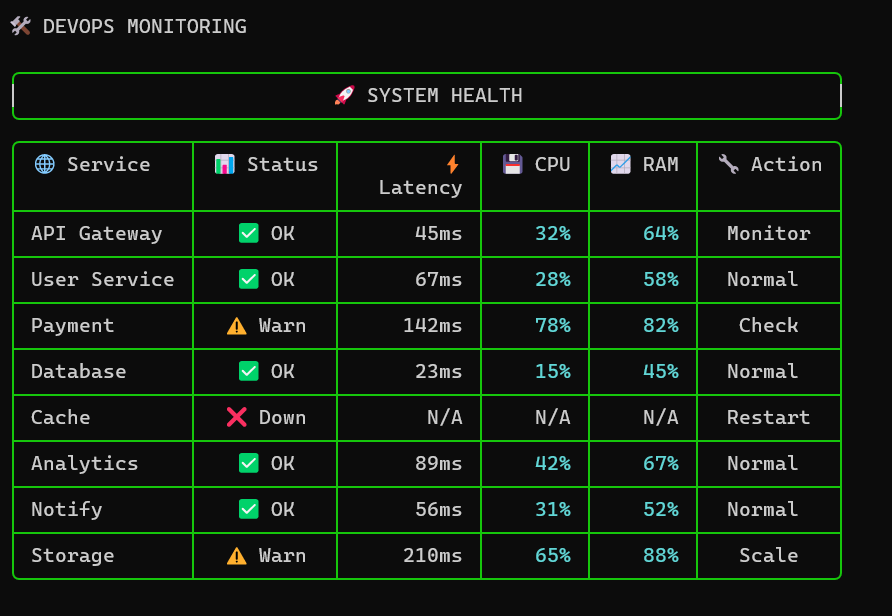
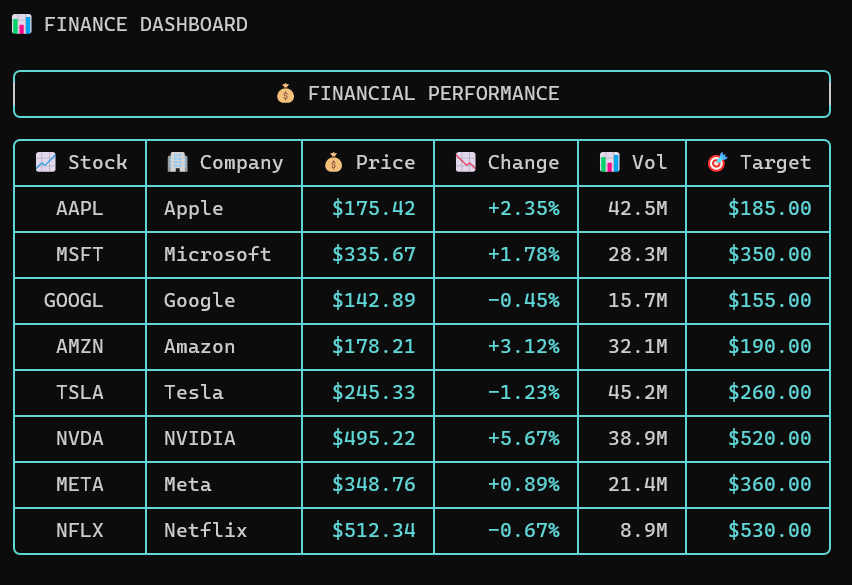
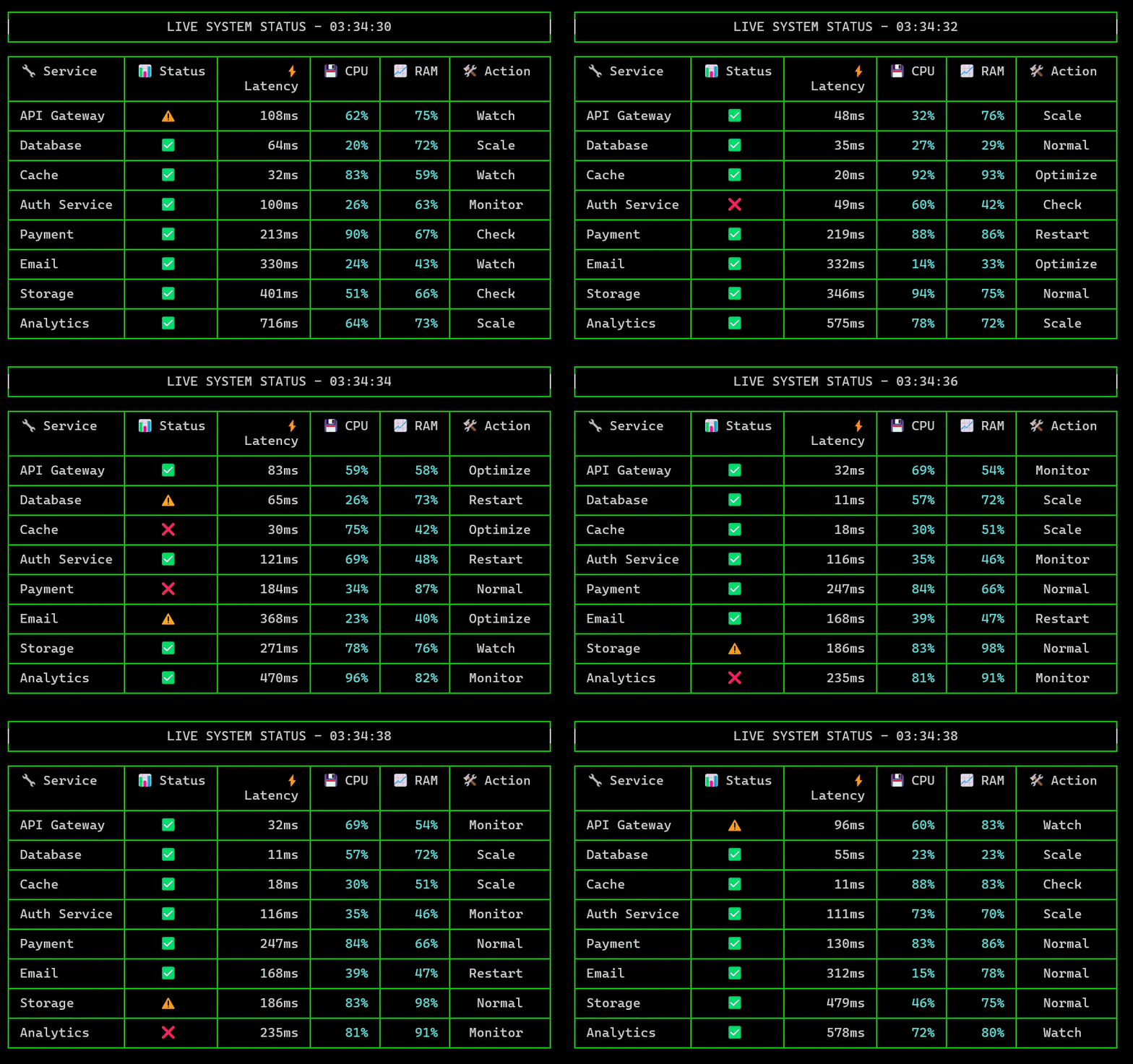
FluentConsoleBuilder provides structured tables, pagination, live dashboards, Unicode-safe rendering, and professional console output for .NET applications.
See how your logs, metrics & status look in real time
Console applications remain essential for DevOps, monitoring, system administration, and internal tooling. Producing consistent, readable, and professional console output across platforms is complex and error-prone.
FluentConsoleBuilder abstracts layout, alignment, Unicode width, pagination, ANSI styling, and live rendering into a single fluent API designed for production environments.
Build complex console tables using a readable fluent API. No manual spacing or string formatting required.
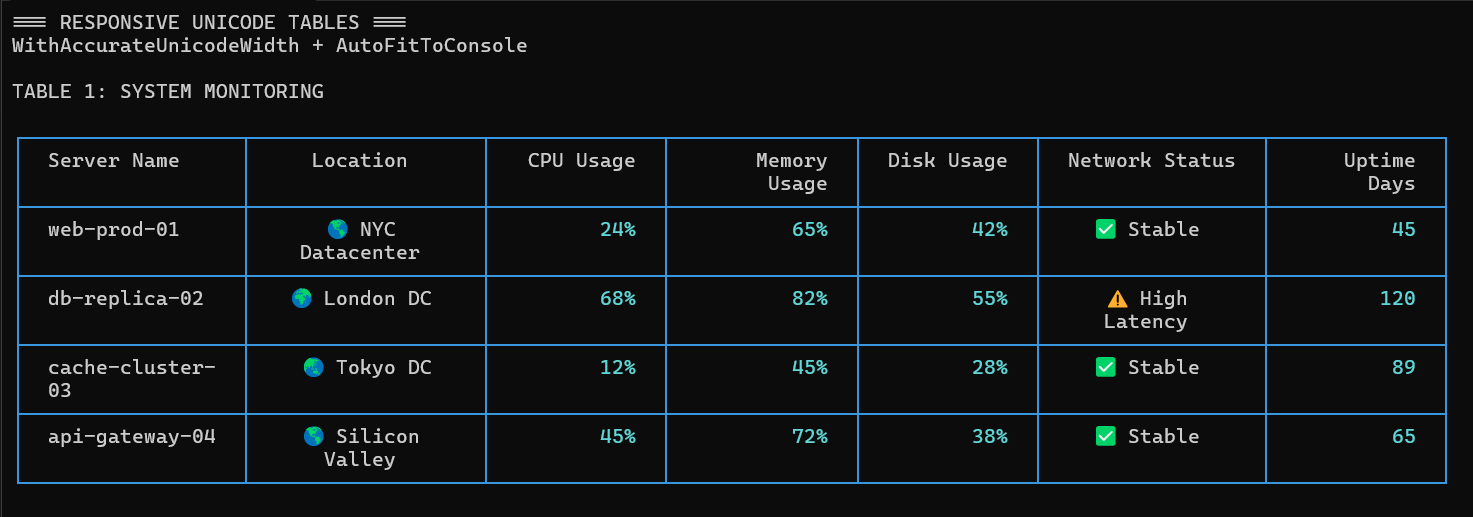
Accurate width calculation for Unicode, emojis, and wide characters across terminals.
Built-in keyboard-driven pagination for large datasets with consistent navigation.
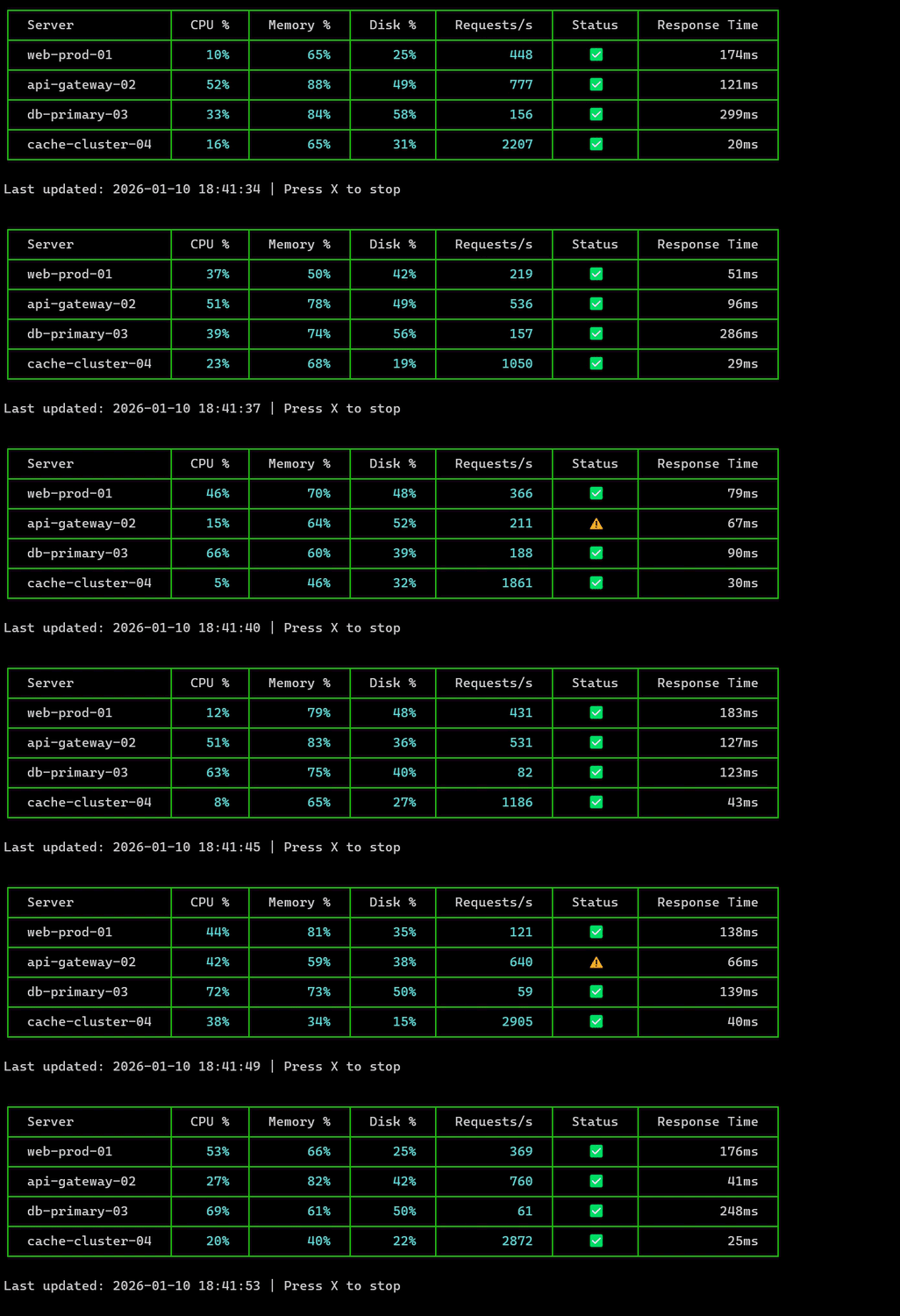
Efficient table redraws for real-time dashboards without flicker.
Colorized borders, headers, numeric highlighting, and conditional formatting.
Optimized rendering with minimal allocations for long-running console applications.
A practical comparison focused on real-world console requirements for data-heavy and operational workloads.
| Capability | Common Console Libraries | FluentConsoleBuilder |
|---|---|---|
| Unicode & Emoji alignment |
Common Console Libraries
Inconsistent or visually broken
|
FluentConsoleBuilder
Full grapheme-aware width (wcwidth-based)
|
| Live updates without flicker |
Common Console Libraries
Clunky redraws or full screen refresh
|
FluentConsoleBuilder
Native, smooth in-place redraw
|
| Keyboard pagination for large datasets |
Common Console Libraries
Missing or limited to basic navigation
|
FluentConsoleBuilder
Full support — Prev (P), Next (N), First (F), Last (L),
numeric keys (1–9)
|
| Conditional styling |
Common Console Libraries
Basic or not supported
|
FluentConsoleBuilder
Fine-grained, fluent styling rules
|
| Real-time dashboard experience |
Common Console Libraries
Requires heavy custom code
|
FluentConsoleBuilder
Natural, data-aware rendering
|
| Production readiness |
Common Console Libraries
Tooling-oriented or demo-level
|
FluentConsoleBuilder
Designed for long-running, operational workloads
|
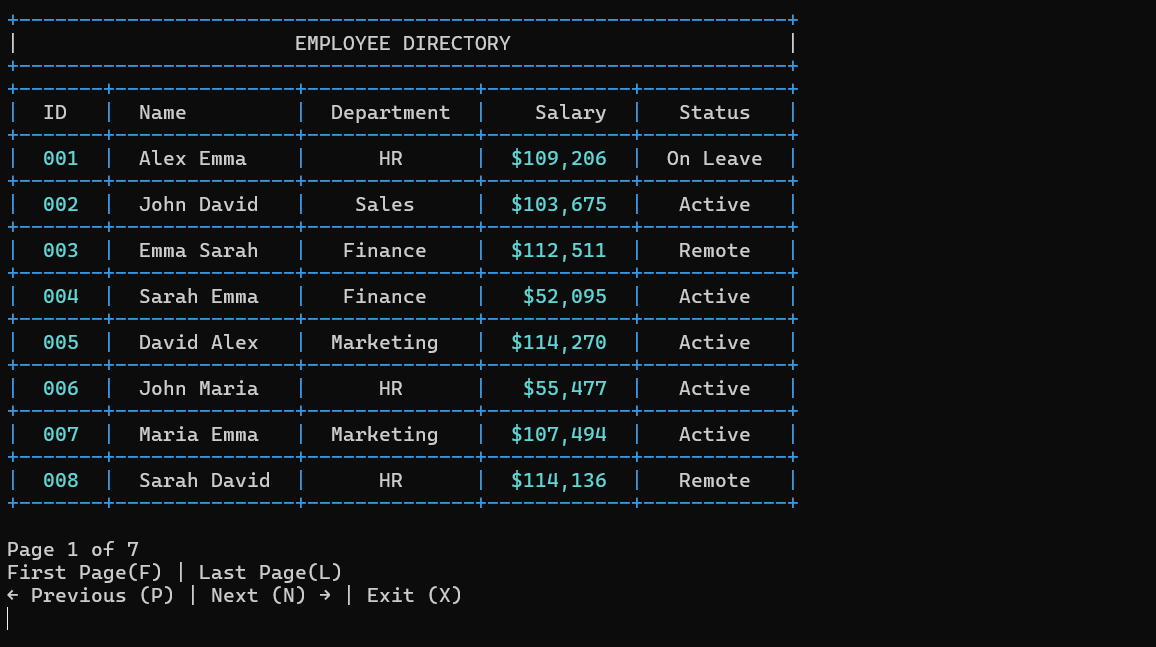
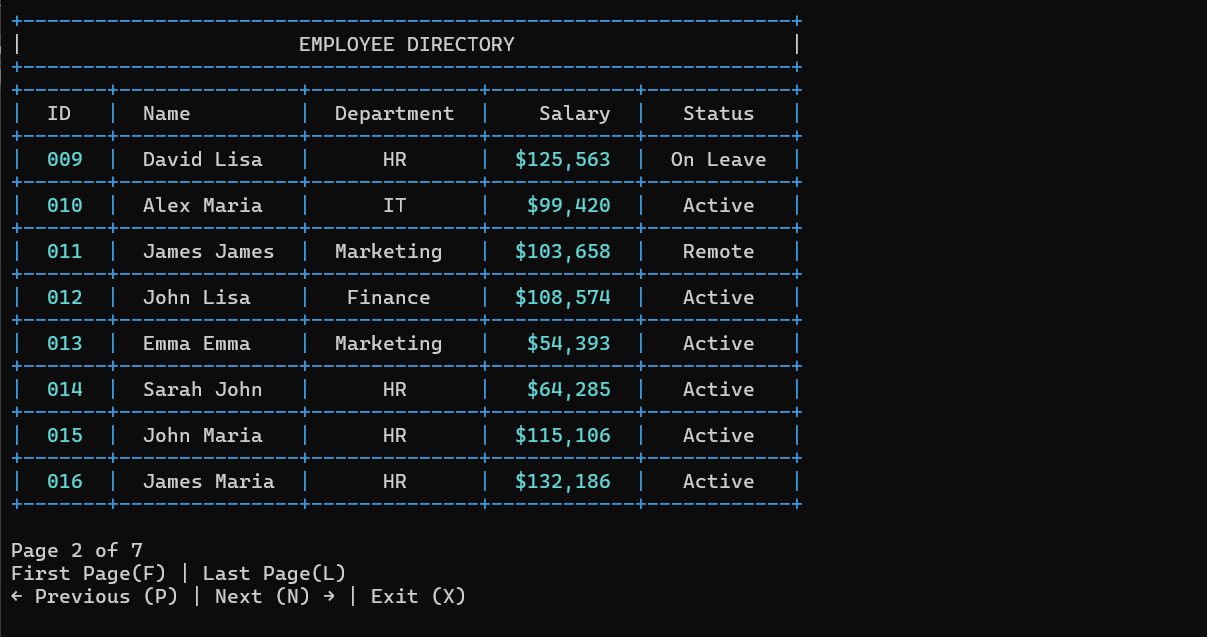
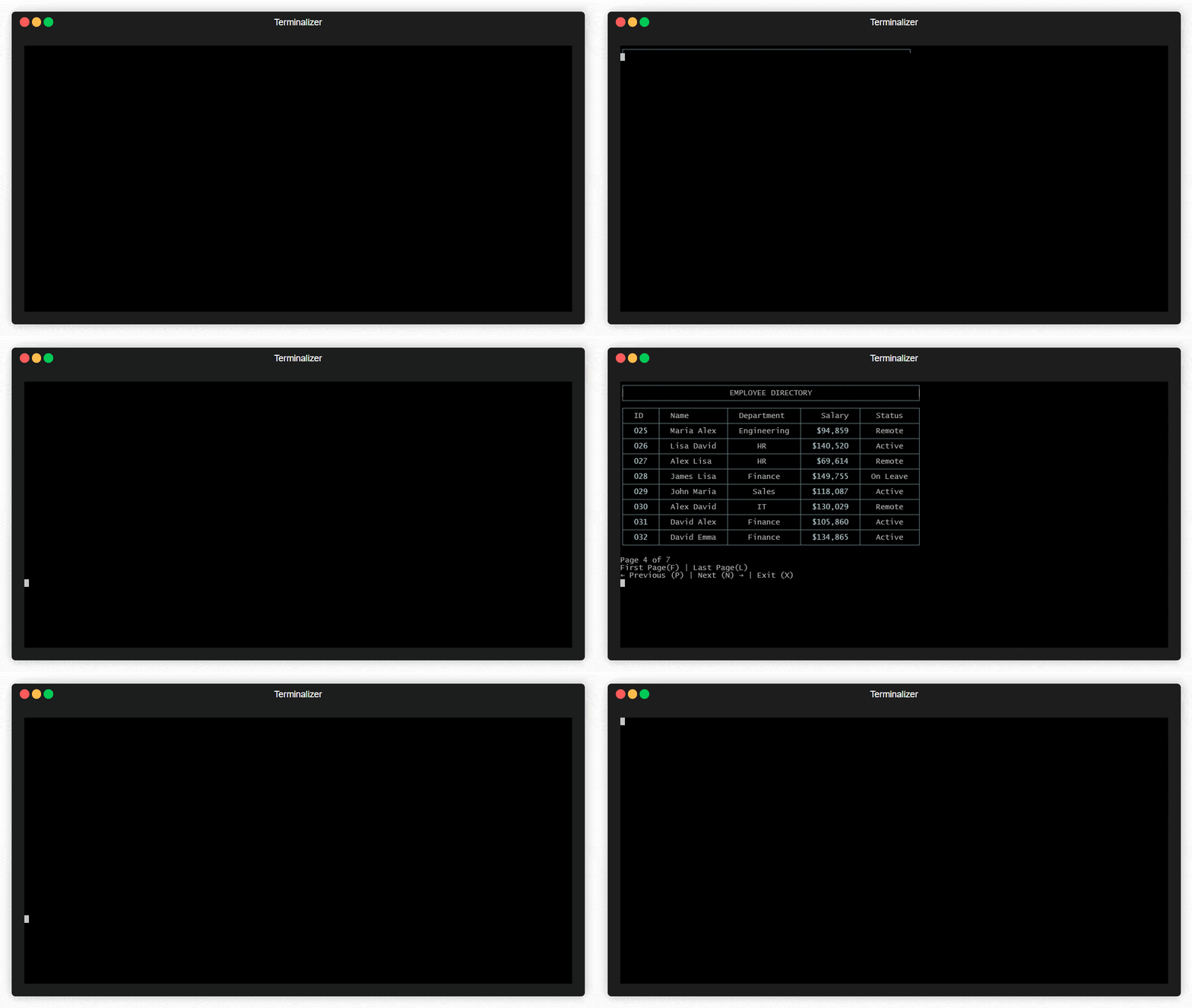
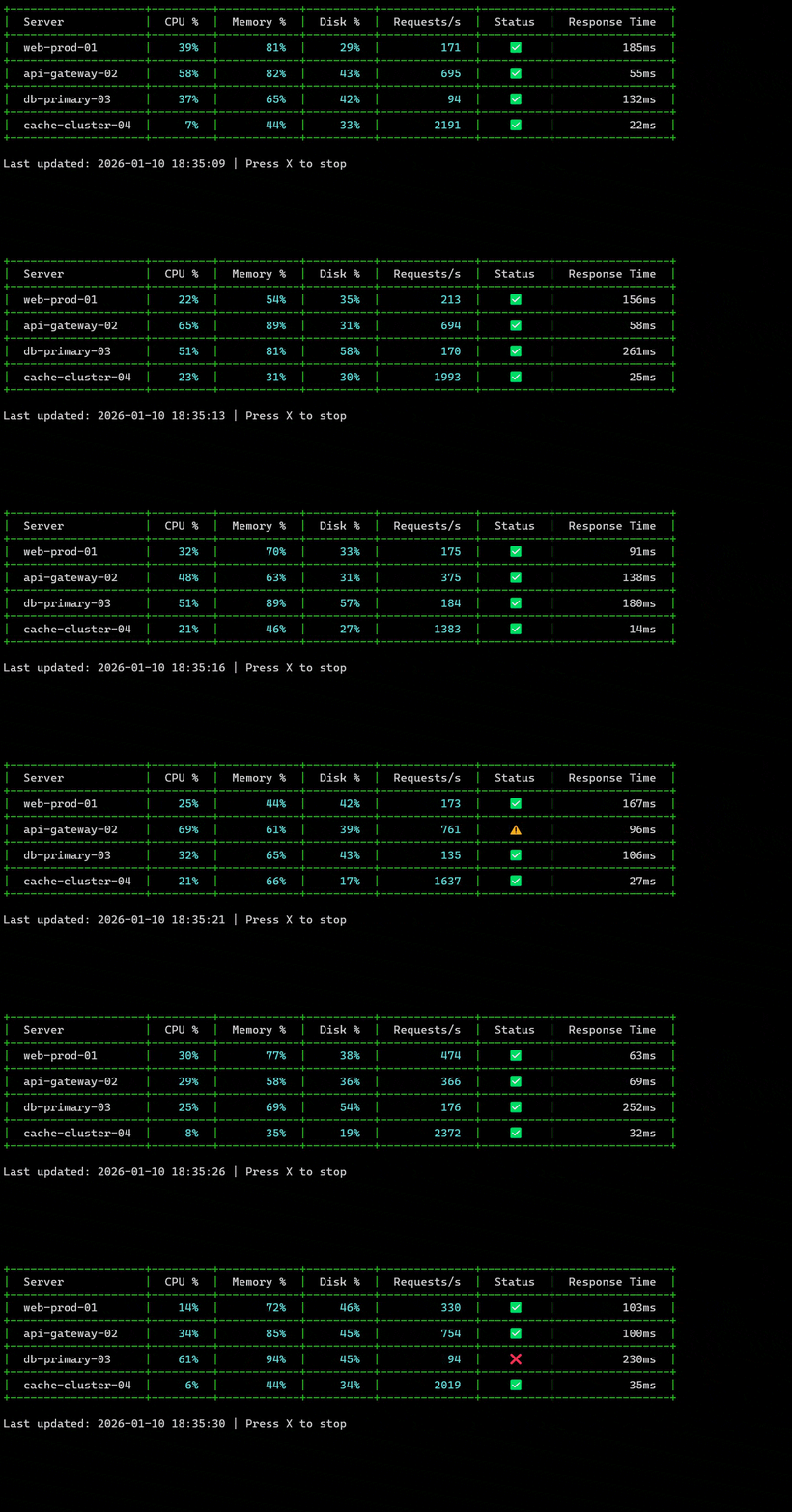
All outputs below are generated directly using FluentConsoleBuilder. No mockups, no post-processing, and no manual formatting.
Built-in keyboard pagination for large datasets using Prev (P), Next (N), First (F), Last (L) and numeric keys 1–9.
Smooth, flicker-free in-place redraws designed for real-time monitoring and long-running console applications.
Accurate column alignment across Unicode characters, emojis, and wide glyphs using grapheme-aware width calculation.
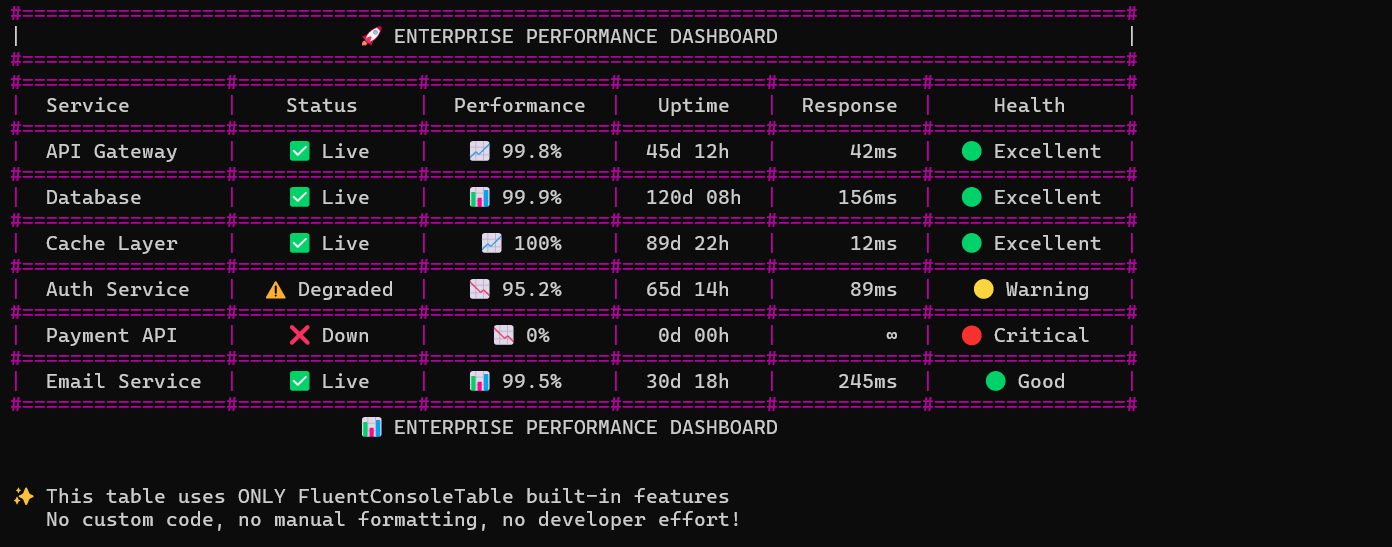
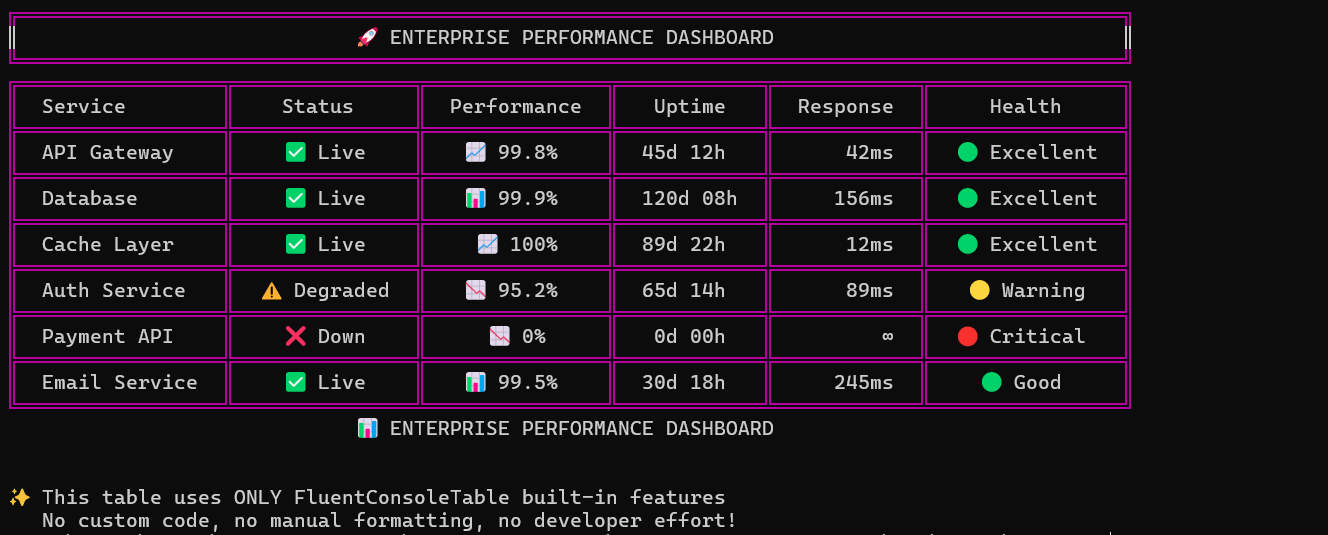
Enterprise-grade monitoring dashboard demonstrating multi-metric data, status indicators, and operational health views.
new TableBuilder()
  .WithTitle("APPLICATION MONITORING", center: true, withBorder: true)
  .SetHeaders("App", "Env", "Version", "Status", "Users", "Response")
  .AddRow("Web Portal", "Prod", "v2.4.1", "Healthy", "1245", "120ms")
  .AddRow("API Service", "Prod", "v1.8.3", "Slow", "892", "450ms")
  .WithAccurateUnicodeWidth(true)
  .Print();
For licensing, commercial usage, or enterprise inquiries, please contact:
nasrullahkazmi@gmail.com